Hello,
I am wondering whether there is a good way of extracting a fully solved oemof model (Solph version 0.6.4), so that I can then copy it to a different PC and do the post-processing there. I am solving the model in on a remote PC and I would then like to do the post-processing with Spyder. Therefore I need also the right data structure, so that I can view all the components in the variable explorer (e.g. Pandas Dataframe).
Currently I have the problem, that when I dump:
results_new = solph.Results(model)
esys.results["main"] = solph.Results(model)
esys.dump(dpath=folder, filename="my_model_name.oemof")
and reload the model:
energy_system = EnergySystem()
energy_system.restore(dpath=folder, filename="my_model_name.oemof")
results = energy_system.results["main"]
objective = results["objective"]
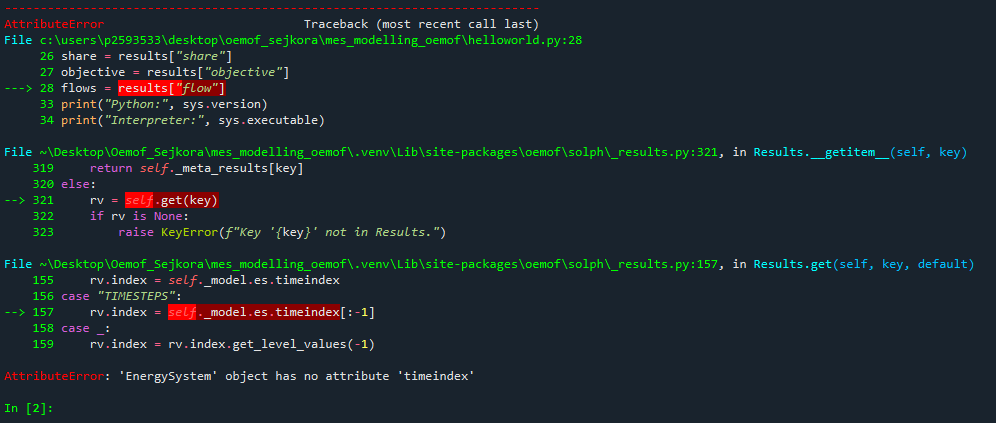
flows = results["flow"]
that I receive a error message for extracting the flows, as the datetimeindex got deleted. See attachment. If I though print energy_system.timeindex, I get a normal DatetimeIndex.
Thanks a lot!
Best regards,
@karombo